Getting started
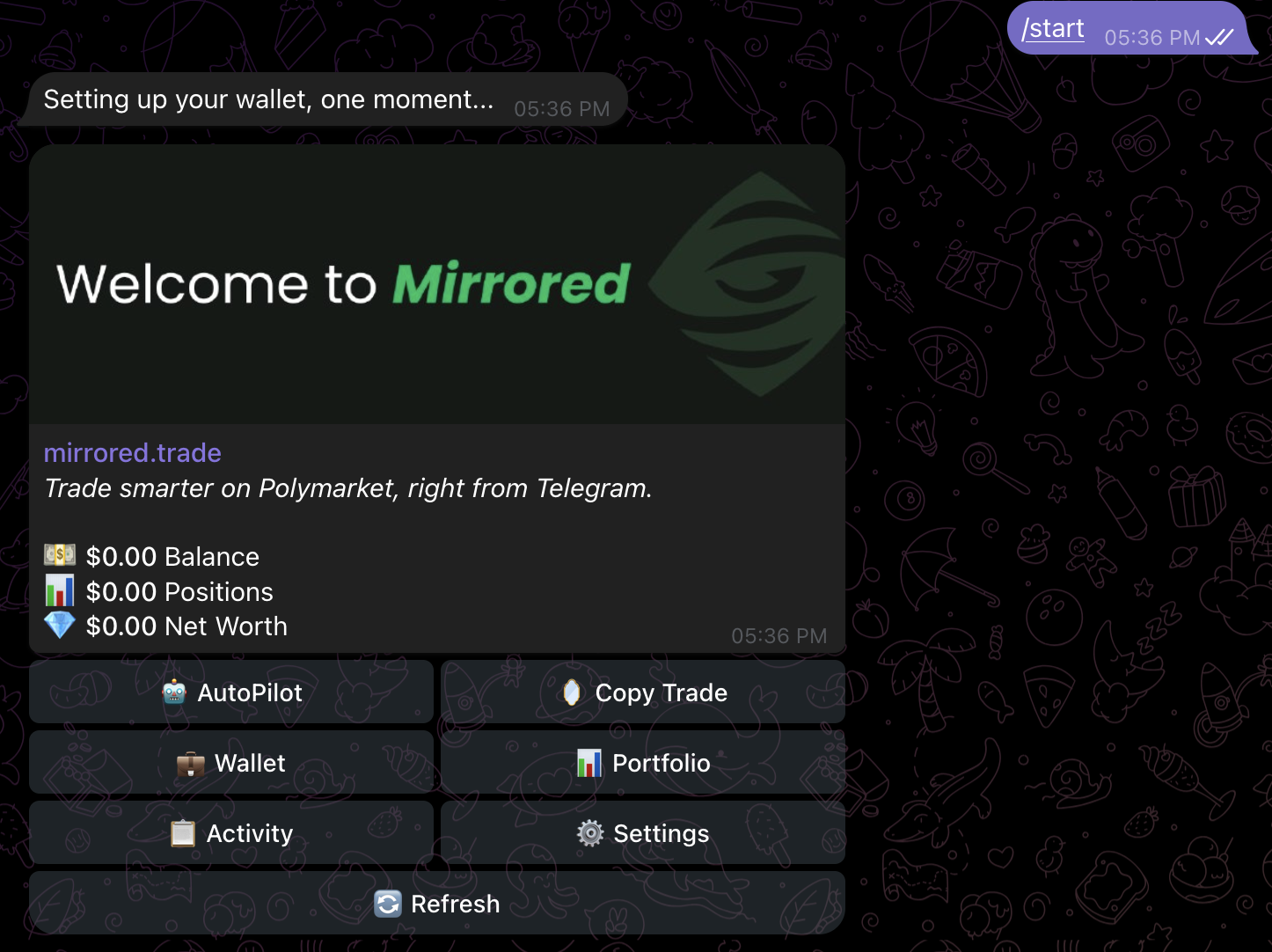
Onboarding takes about a minute. Open the bot, send /start, and your wallet is created. Deposit any major asset and you're ready to mirror traders.
1. Open the bot
Tap @mirrored_trade_bot on Telegram, or scan the QR on mirrored.trade. Telegram will prompt you to start the chat.
2. Send /start
On first contact the bot creates your embedded wallet via Turnkey. You hold the keys; the bot is a delegate signer scoped to trading actions only. There's no seed phrase to write down today — you can export one any time from Wallet.
3. Fund your wallet
Tap 💼 Wallet to see your deposit addresses. Mirrored accepts deposits on four chains and bridges everything into pUSD on Polygon — that's what Polymarket's order book settles in.
- 🟣 Polygon — pUSD directly, no bridging.
- 🔵 EVM (Ethereum / Base / Arbitrum) — USDC, USDT, ETH.
- 🟢 Solana — SOL, USDC, USDT, USDe.
- 🟠 Bitcoin — BTC.
4. Pick how you want to trade
Mirrored is a copy-trading bot. You have two ways to start:
- AutoPilot — pick one of four curated lineups (All Categories, Aggressive, Sweaty, Relaxed). Each lineup is 10 hand-selected traders. Tap once and they're added to your copy list.
- Copy Trade — paste any wallet address (or use a leaderboard share link) to mirror a specific trader. Nickname them, pause them, remove them — all per-trader.
5. Configure your copy rules
Before any trade fires, you need to set your sizing and risk rules. The bot walks you through a 6-step wizard the first time you open ⚙️ Settings — trade size, max per trade, per-market limit, price range, and slippage. Full wizard reference →
What happens next
Once your rules are configured and you have at least one trader on your list, every entry they make is mirrored into your wallet — sized by your rules, signed by the bot on your wallet's behalf. You'll get a Telegram notification on each fill (if it clears your notifyMin threshold).